There are many Plugins an HowTos to include Flattr to different webservices and platforms.
Here is the HowTo for Posterous.com:
To enlarge pictures click on it!
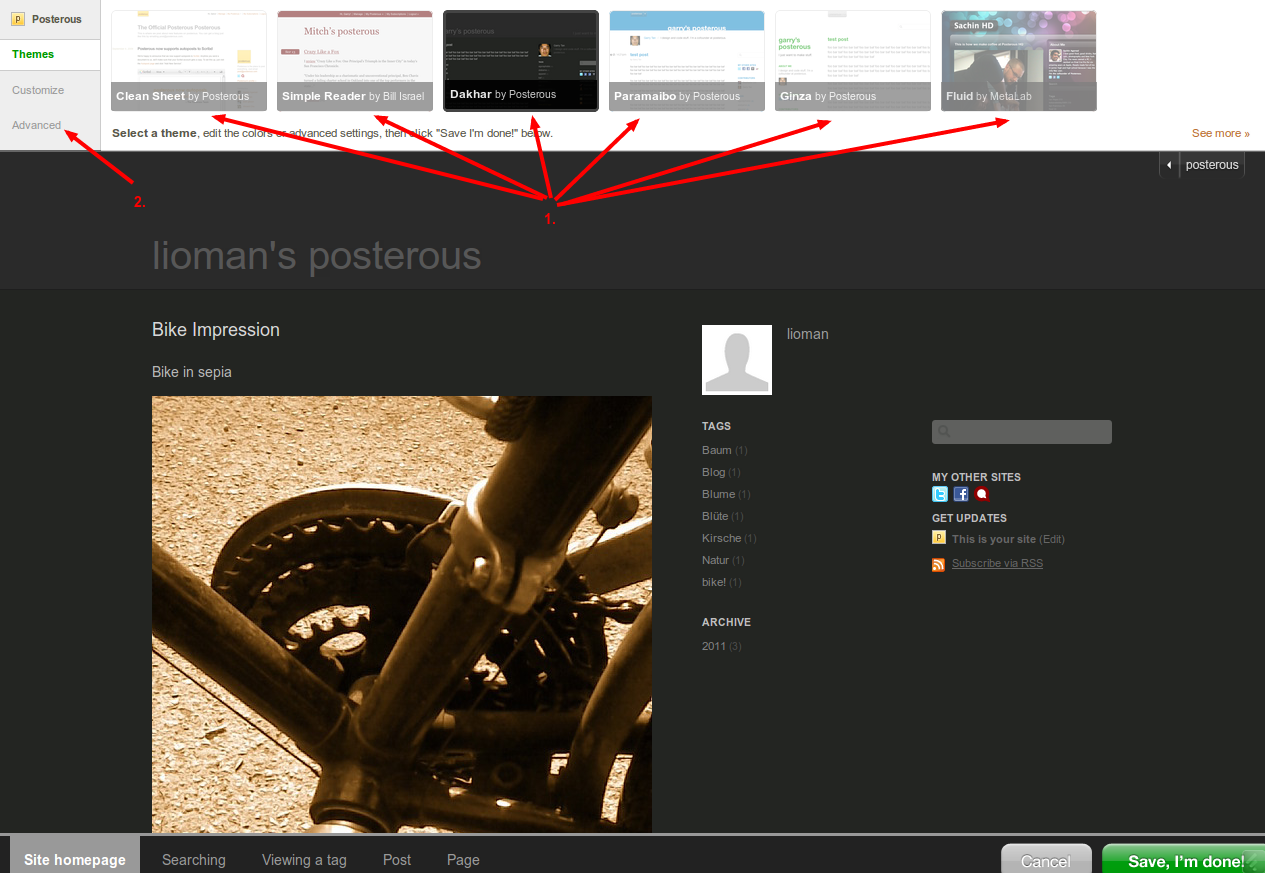
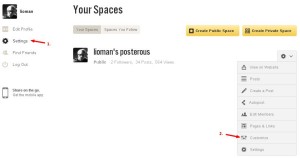
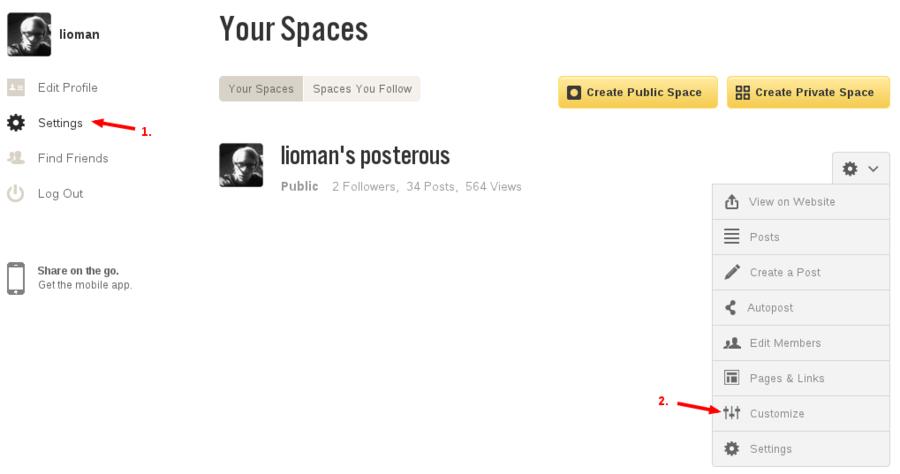
- Login to your posterous Account and click on “Settings”! And then on Customize in the gearwheel-menu behind your posterous space
- Then first choose your prefered theme (I choose Dakhar) and then click on “Advanced”
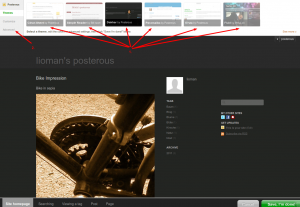
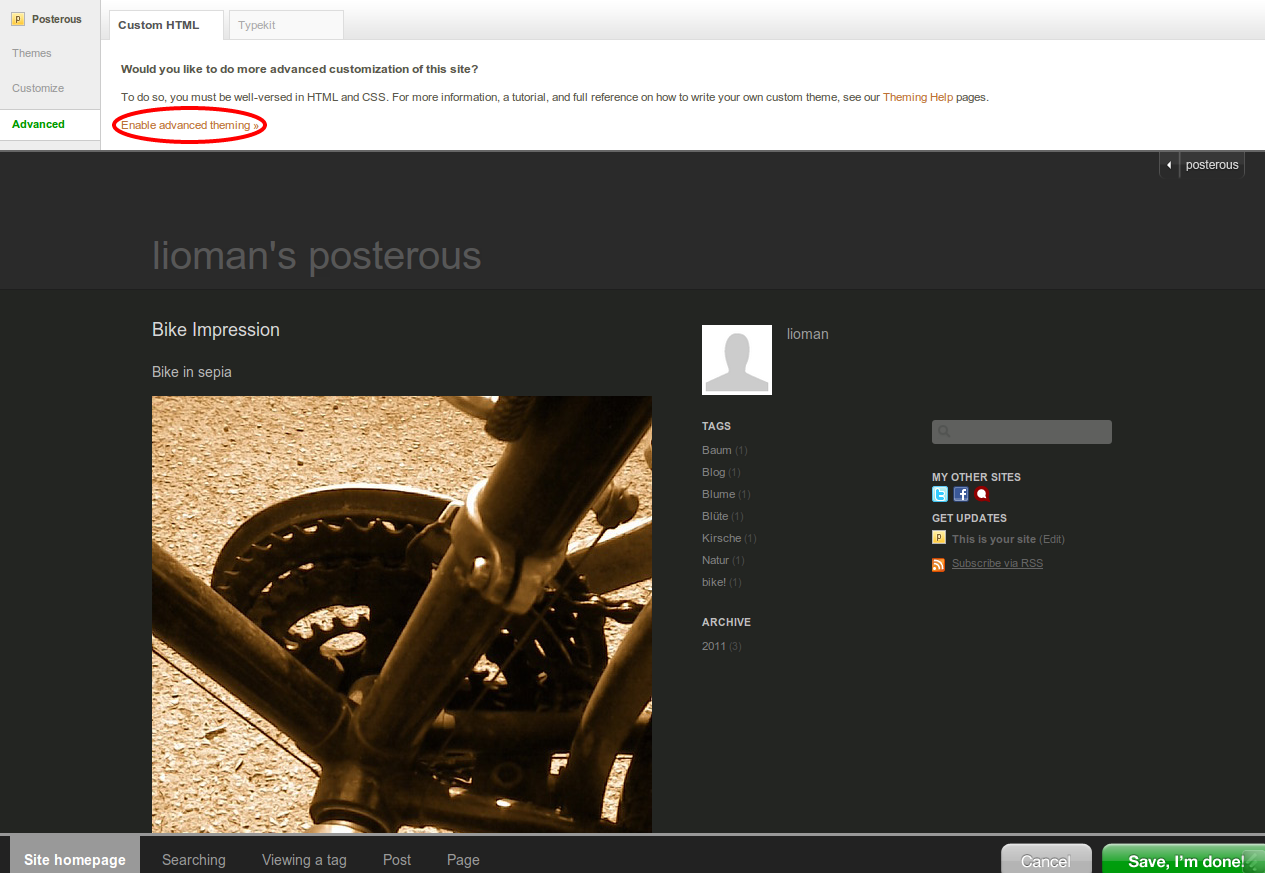
- Click on “Enable advanced theming” and give your new theme a name
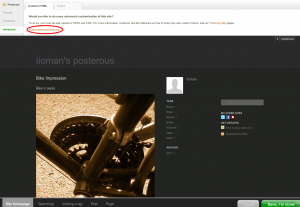
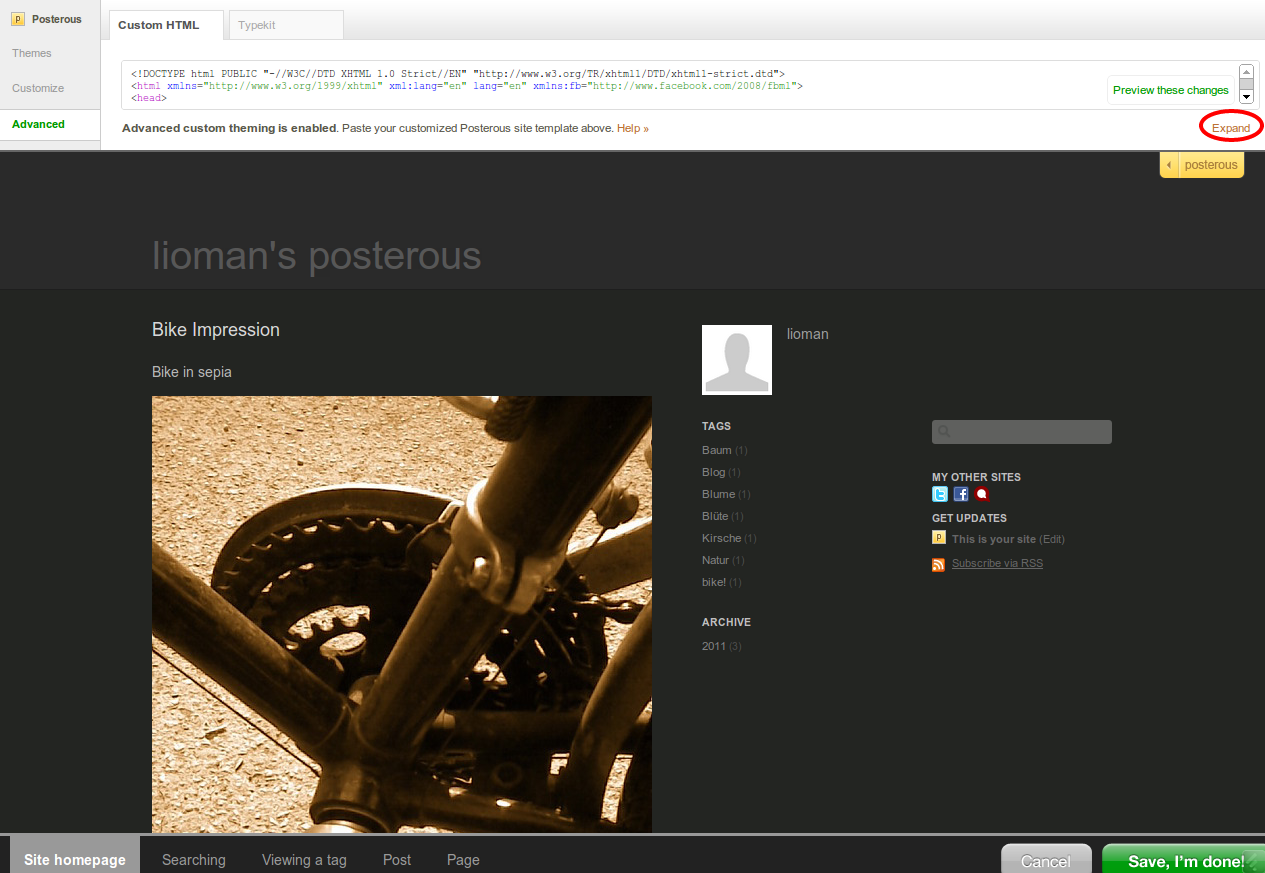
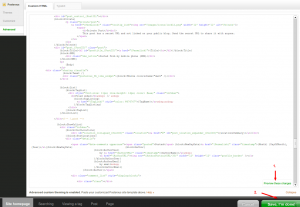
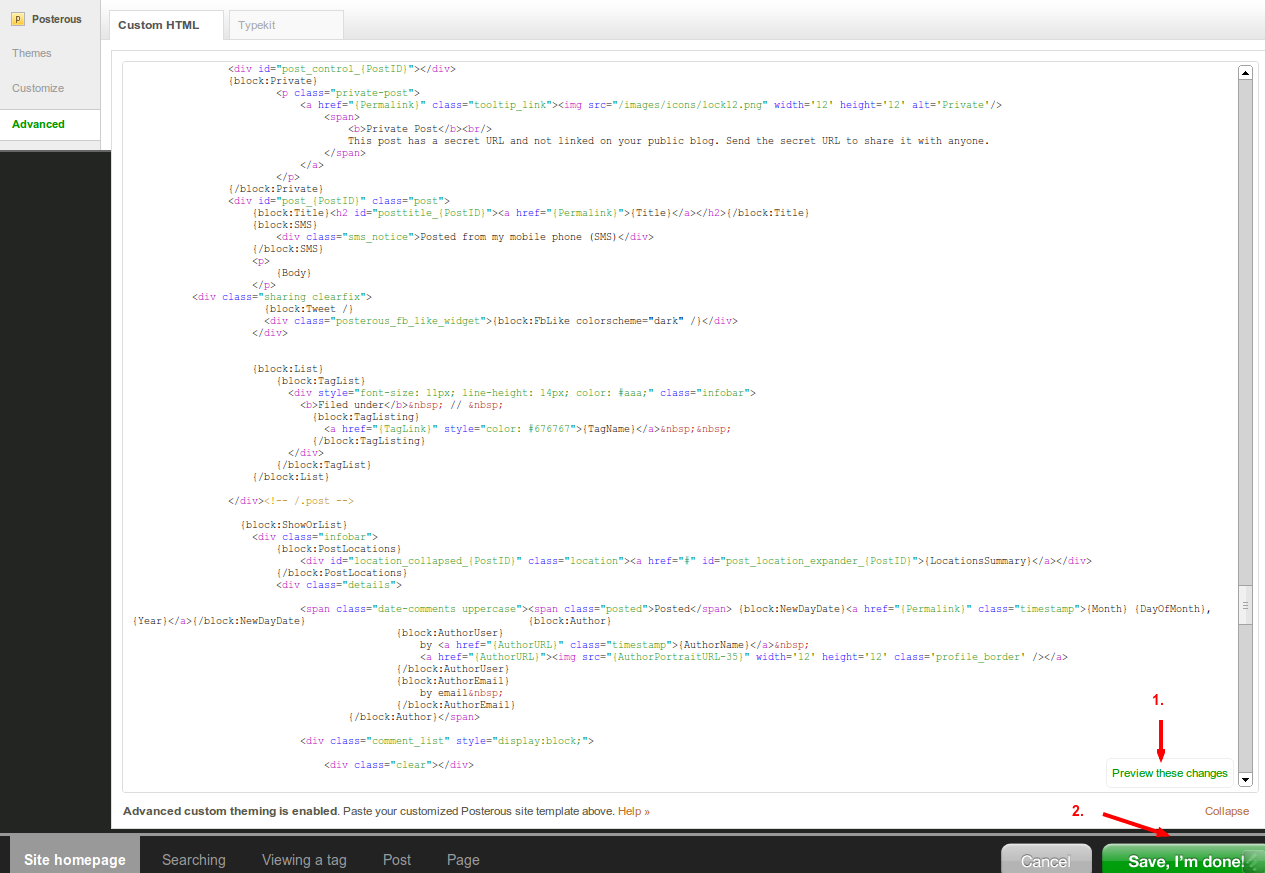
- Click on Expand to view theme-code
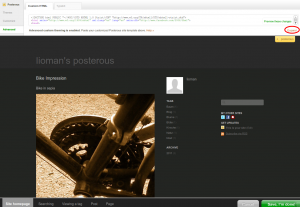
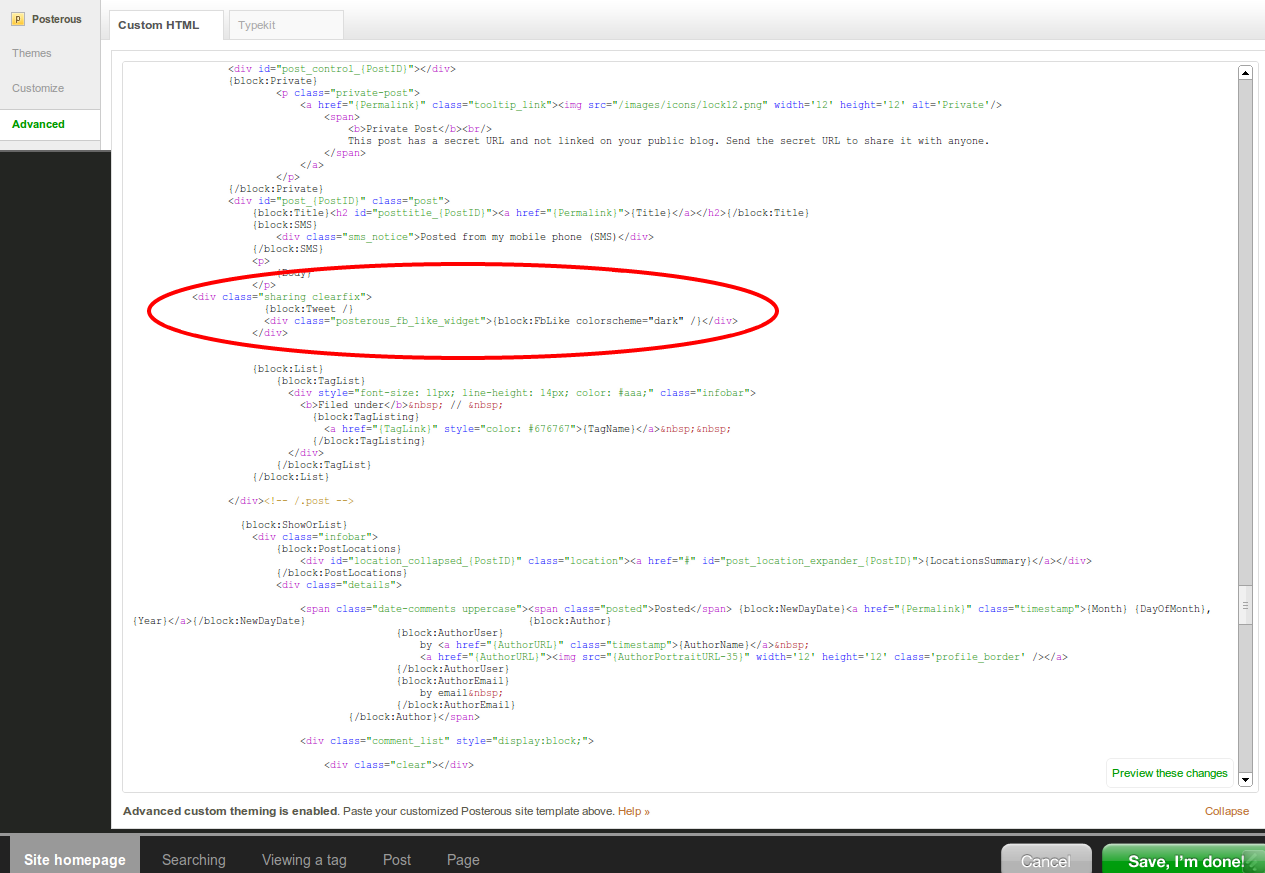
- Scroll to {block:Tweet /} or to any other place wherever you want your button
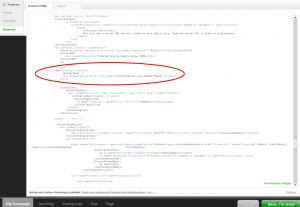
- Add Button CodeNormal:
- <iframe src= "http://api.flattr.com/button/view/?uid=lioman&url={Permalink}&title={Title}&description=Posterous post&language=de_DE&tags={block:TagList}{block:TagListing}{TagName},{/block:TagListing}{/block:TagList}" frameborder="0" scrolling="no" width="55px" height="62px"></iframe>
<iframe src= "http://api.flattr.com/button/view/?uid=lioman&url={Permalink}&title={Title}&description=Posterous post&language=de_DE&tags={block:TagList}{block:TagListing}{TagName},{/block:TagListing}{/block:TagList}" frameborder="0" scrolling="no" width="55px" height="62px"></iframe>
Update: Don’t use compact mode! Webkit-Browser don’t show it properly. Use the default code or resize (much bigger) the iframe if you have to use the compact button.Compact:
- <iframe src= "http://api.flattr.com/button/view/?uid=lioman&url={Permalink}&title={Title}&button=compact&description=Posterous post&language=de_DE&tags={block:TagList}{block:TagListing}{TagName},{/block:TagListing}{/block:TagList}" frameborder="0" scrolling="no" width="55px" height="62px"></iframe>
<iframe src= "http://api.flattr.com/button/view/?uid=lioman&url={Permalink}&title={Title}&button=compact&description=Posterous post&language=de_DE&tags={block:TagList}{block:TagListing}{TagName},{/block:TagListing}{/block:TagList}" frameborder="0" scrolling="no" width="55px" height="62px"></iframe>Change the “uid” to your Flattr-ID (or I get the reward
)
Change category to your preferred type: text, images, video, audio, software, rest - Preview your theme and if everything looks nice – save it !

Everything is done and your readers can flattr your Posterousblog
Update7: Image and description updatet on new posterous design
Update6: Code Updated, Tags are now supported!
Update5: It seems that Posterous changed the way the how the title is displayed. You have to change the code back to previous version. “{TitleCssEscaped}” must be replaced by “{Title}”
Update4: Code updated! Titels with additional characters like “#” are now supported
Update3: Code updated there has to be an space after src=
Update2: Everything works fine with default button.
Update: Code dosen’t work for Chrome/Chromium. Wegkit-browsers ignore the scrolling= no attribute. I try to improve that.


26. May 2011 at 21:00
Hi,
ich bekomme es NICHT gebacken, wo und wie GENAU muss der Code den hin?
Irgendwie erscheint bei mir kein Button, egal wie ich das mache…
gruss,
Rafael
27. May 2011 at 10:51
Welches Theme hast du denn? Ich schaus mir an
31. May 2011 at 12:28
Hi!
Ich nutze das blaue Standardtheme, Paraibo oder so heisst das AFAIK.
Gruss,
Rafael
31. May 2011 at 12:44
Habs gelöst (siehe oben)
31. May 2011 at 13:49
Hi Lioman!
Danke fuer die Hilfe, aber einige Buttons melden error. kannst Du mal drueberschauen? Ware echt wirklich super!
danke!
Gruss,
Rafael
31. May 2011 at 21:42
Das Problem ist der Hashtag. Flattr hat vermutlich Probleme mit Sonderzeichen wie “#” Ich weiß noch nicht wie man das lösen kann – allerdings kann man das Ganze bei Flattr manuell eintragen und dann verschwindet der Error
31. May 2011 at 21:44
Hi Lioman!
Der @klischeepunk hat mich schon darauf hingewiesen. Aber danke fuer den Hinweis, ist wirklich super-nett!
1. June 2011 at 09:02
Hab ne Lösung: Einfach den neuen Code benutzen.
Pingback: links for 2011-07-03 « just another weblog :: fine bloggin' since 2001
17. October 2011 at 07:08
I am unable to get it on the new look of the posterous, could you please define something that can help me out.
17. October 2011 at 08:25
I’ve updated the first part. Do you need any more help?
28. February 2012 at 20:47
obwohl ich dachte es sei narrensicher, bin ich anscheinend noch beschränkter als ein Narr
Hätte es so gerne rechts über der searchbox eingebaut, aber keine chance…
6. March 2012 at 18:23
Du musst den Codeblock nach diesem platzieren.
Wenn du sie genau nebeneinander haben willst kannst du auch ne tabelle aufziehen, damit kann man ganz gut buttons und ähnliches gruppieren
11. March 2012 at 12:32
Vergiss meinen Kommentar – ich habe nur im Quelltext geschaut. Ich schau mir es demnächst an, wie es bei deinem Theme funktioniert. Da ich derzeit noch auf einen langsamen Webstick angewiesen bin, um ins Netz zu kommen, muss das allerdings noch ein bisschen warten. Die Konfigurationsoberläche von Posterous ist nicht für so langsame Verbindungen gebaut.
13. March 2012 at 17:51
Ich weiß nicht wie weit du gekommen bist. Fügt man es normal ein, erscheint der Button nur mit einem Error. Das liegt daran, dass die Variable “{Permalink}” nur innerhalb des Post blocks gültig ist. Man kann natürlich das IFRAME einfach mit block:Posts einklammern, aber dann bekommt man auf der Startseite eine ganze Reihe an Buttons zu sehen (Nämlich für jeden Artikel einen)

Auf einer Artikelseite wird dann wieder nur einer angezeigt. Möchte man das nicht muss man den Button direkt unter dem Artikel einbinden.
Hoffe das hilft, wenn nicht einfach nochmal melden.